My talented colleague Jordan Grindle has been working hard on a number of Askia Design Controls (ADCs) over the last few months. This blog post highlights the latest updates and improvements that are now available in Askia’s surveys.
An Askia Design Control?
For those new to Askia, ADCs are Askia’s dynamic and customizable question controls. You can add these to surveys in AskiaDesign by simply using drag and drop. The ADC Gallery lists the available ADCs in your library, and you can apply an ADC by opening a questionnaire in AskiaDesign > Screen mode, selecting the question, then dragging the ADC onto the response block. All the ADCs are available for further customization. Many of our clients have done this by extending the standard ADCs and have built their own unique library of dynamic question controls.
So let’s take a look at the latest updates . . .
Open ADC — AI Prompting
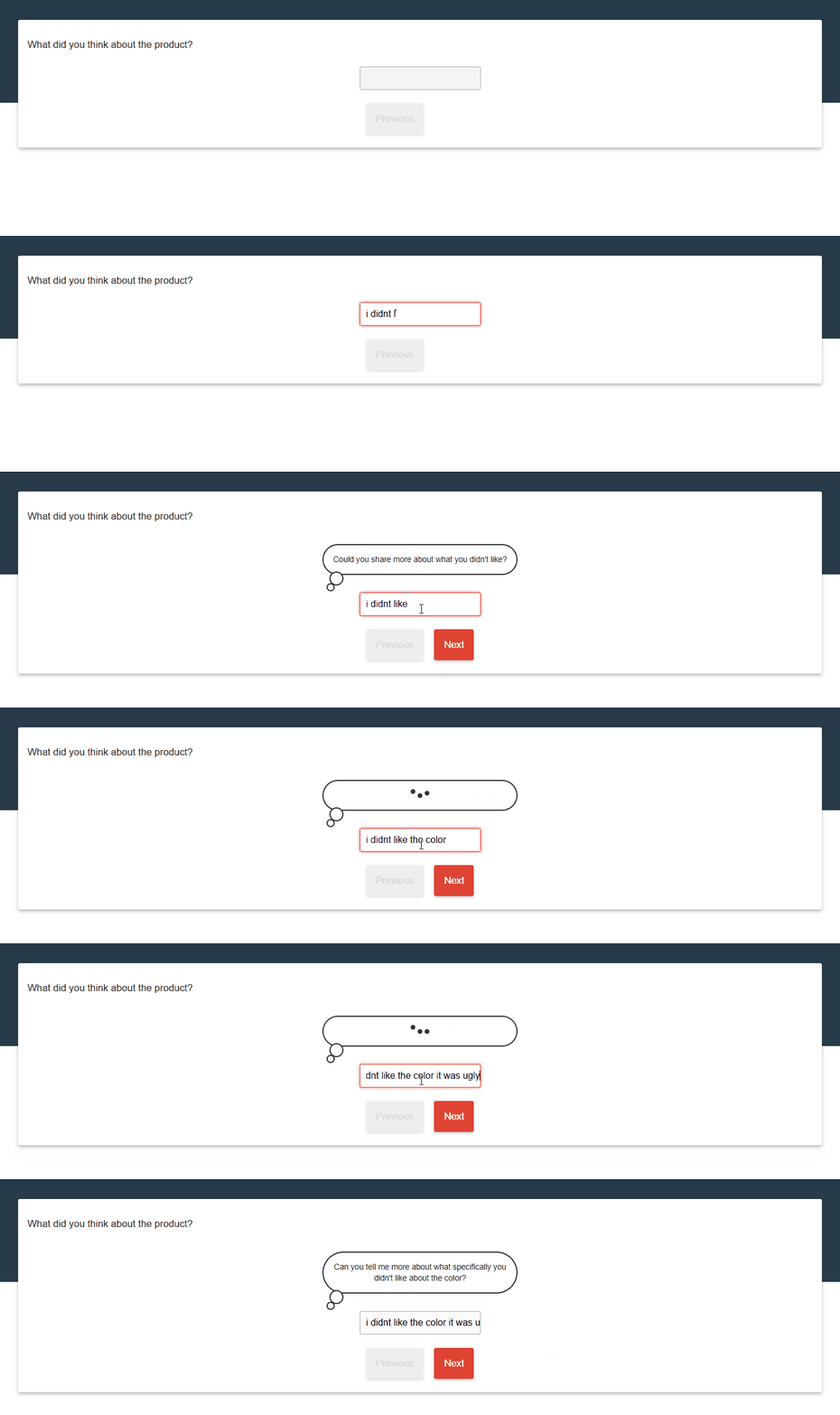
The Open ADC now supports the addition of an AI Prompting capability directly into your survey using the LLM of your choice. This feature allows you to leverage AI-generated prompts within the control, creating new possibilities for more in-depth respondent interaction.
To find out more about this ADC, check out our introductory article explaining how it works.
PDF Export ADC — Save answers as a PDF
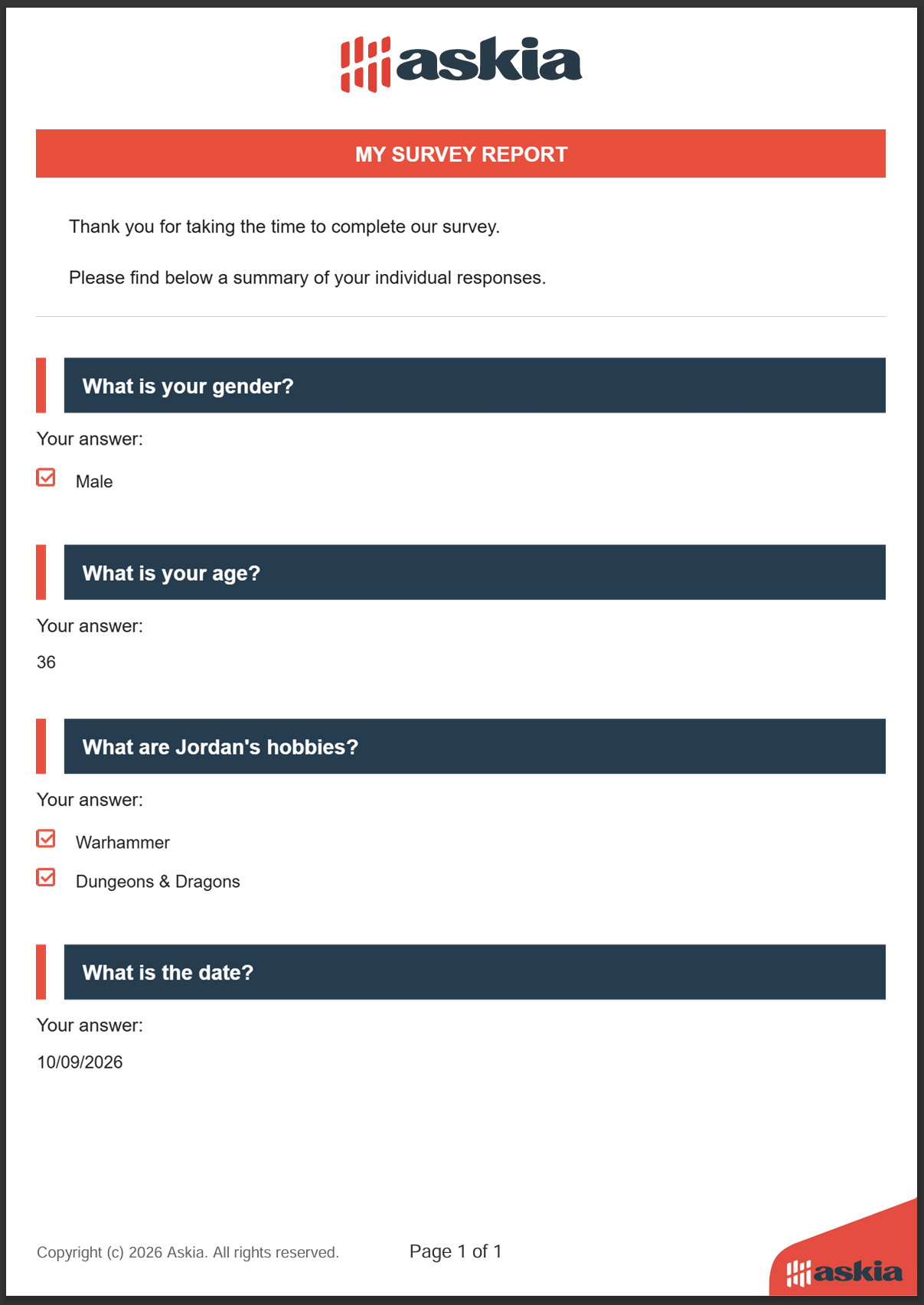
The PDF Export ADC gives clients a way to allow their respondents to save their answers at the end of a survey. With this control, survey programmers can generate a formatted and stylized template applied to a PDF summary of a respondent’s answers, making it easy to keep a personal record of their submission.
To find out more about this control, check out our showcase article.
ResponsiveTable ADC — MaxItems property
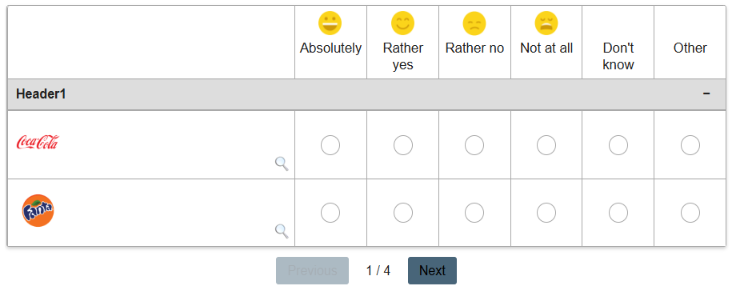
The ResponsiveTable ADC introduces a new MaxItems property. This allows you to control the maximum number of items/rows displayed within the responsive table at a single time, giving you greater flexibility over how your grid questions are presented to respondents.
TemplateAll ADC — New updates
The TemplateAll ADC received the most attention in this release, with three significant improvements:
- AskiaScript for setting dates: You can now use AskiaScript to dynamically set date min/max values within the control, rather than static entry points.
- Select2 JS Library integration: The Select2 JS Library has been bundled into the ADC, providing enhanced dropdown list functionality with features such as search, tagging, and custom rendering out of the box.

- Live response filtering: The TemplateAll ADC now supports live response filtering (i.e. ignore response routing), allowing the control to filter available options visible to the respondent in real time as they interact with the survey.
Other Improvements
Many of the ADC’s have also received tweaks to improve overall performance. Some of the more prominent improvements have been made to the following ADCs:
- Drag & Drop
- ImageLightbox
- StatementList
- Slider
- Camera + Microphone
- AutoComplete
Jordan’s KB article has more details on these improvements, which be found here.